Submit Article Requests

Do you have a suggestion for an article you would like to see created?
Feel free to submit this form and add your suggestions to our document board.

Please fill out the contact form below and we will reply as soon as possible.

  • Integration Hub
  • Contact Us
  • Docs home
  • Installation & Developers
  • Users, Groups & Events

Events Overview

Track user actions in your product and use them to trigger and target Appcues experiences.

Updated at March 26th, 2026

Submit Article Requests

Do you have a suggestion for an article you would like to see created?
Feel free to submit this form and add your suggestions to our document board.

Please fill out the contact form with the details about the help content you'd like to see.

  • Home

  • Getting Started

    • Installation & Developers

      • Web Experiences

        • Mobile Experiences

          • Workflows

            • Analytics & Data

              • Account Management

                • Integrations

                  Table of Contents

                  When to use events How it works View your events Decide which events to send Plan your installation Hide or remove events

                  Events represent actions your users take in your application — clicking a button, landing on a page, completing a signup form. You track these actions in your product and send them to Appcues so you can target experiences based on what users have or haven't done.

                  Looking for no-code event tracking? See Click-to-Track events.

                  When to use events

                  Use events to trigger or gate experiences based on user behavior. Common examples include "Invited a teammate," "Updated account information," and "Logged in." Events let you surface content at the right moment — when a user has or hasn't completed a key action in your product.

                  How it works

                  Events reach Appcues in three ways:

                  • Appcues.track() call — added during installation by your development team. See the Track events in your web app for implementation details.
                  • Partner integration — sent from tools like Segment, Rudderstack, or Freshpaint.
                  • Click-to-Track — a no-code option you configure directly in Appcues. See Click-to-Track events.

                  View your events

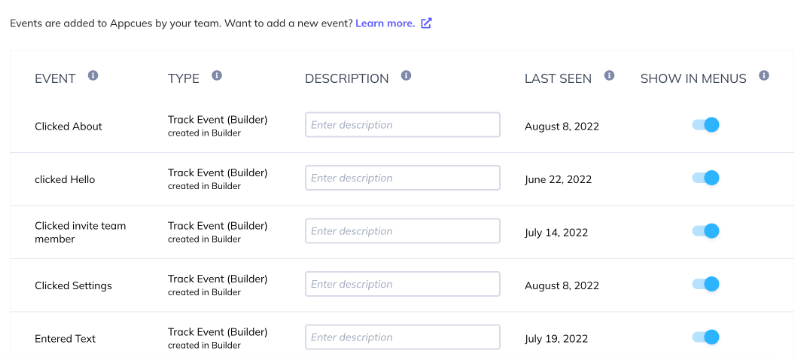
                  All tracked events appear on the Events and Properties page in Settings > Data > Events. Events only show up here after Appcues has received them at least once.
                  Decide which events to send

                  Events are specific to your application, so there's no universal checklist. Start by asking two questions:

                  1. What actions will you drive users toward with Appcues experiences?
                  2. How will you measure whether those experiences are working?

                  For example, if you want to encourage users to invite teammates, you'd track the "Invite" button click. That event becomes both the call-to-action target and the success metric.

                  For inspiration see Choose which events and properties to send.

                  Plan your installation

                  Use the installation plan template to map out the events (and user properties) you need. Share the plan with the developers handling your Appcues installation so they know exactly what data to send.

                  Hide or remove events

                  You have two options:

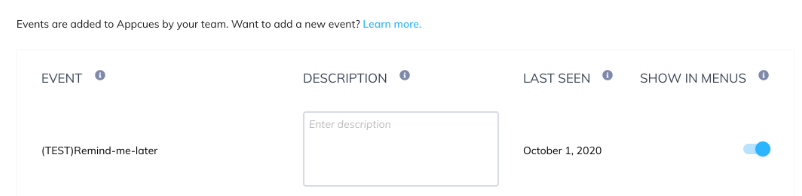
                  • Hide from menus — Toggle off Show in Menus next to the event on the Events settings page. The event stays in the database but no longer appears in the Studio interface.
                  • Remove from Studio — Contact support@appcues.com with a list of events to remove. This also hides them from the interface but does not delete the underlying data.
                  event summary send events events management what are events

                  Was this article helpful?

                  Yes
                  No
                  Give feedback about this article

                  Related Articles

                  • HTTP API (Developer)
                  • Install with Segment
                  • FAQ for Developers
                  Appcues logo

                  Product

                  Why Appcues How it works Integrations Security Pricing What's new

                  Use cases

                  Appcues Integration Hub User Onboarding Software Feature Adoption Software NPS & Surveys Announcements Insights Mobile Adoption

                  Company

                  About
                  Careers

                  Support

                  Developer Docs Contact

                  Resources

                  The Appcues Blog Product Adoption Academy GoodUX Case studies Webinar Series Made with Appcues

                  Follow us

                  Facebook icon Twitter icon grey Linkedin icon Instagram icon
                  © 2022 Appcues. All rights reserved.
                  Security Terms of Service Privacy Policy

                  Knowledge Base Software powered by Helpjuice

                  Expand