US English (US)
ES Spanish

Submit Article Requests

Do you have a suggestion for an article you would like to see created?
Feel free to submit this form and add your suggestions to our document board.

Please fill out the contact form below and we will reply as soon as possible.

  • Integration Hub
  • Contact Us
English (US)
US English (US)
ES Spanish
  • Docs home
  • Workflows
  • Setup & Configuration

Manage email suppression lists

Add, remove, and review email addresses on the Unsubscribed, Bounced, and Spammed suppression lists

Updated at March 27th, 2026

Submit Article Requests

Do you have a suggestion for an article you would like to see created?
Feel free to submit this form and add your suggestions to our document board.

Please fill out the contact form with the details about the help content you'd like to see.

  • Home

  • Getting Started

    • Installation & Developers

      • Web Experiences

        • Mobile Experiences

          • Workflows

            • Analytics & Data

              • Account Management

                • Best Practices

                  • Integrations

                    Table of Contents

                    Suppression list types Add addresses to the Unsubscribed list Remove an address from a suppression list

                    Appcues won't send emails to addresses on a suppression list. Before sending your first Workflow email, add any addresses that have previously opted out of communication from your company so they don't receive unexpected messages.

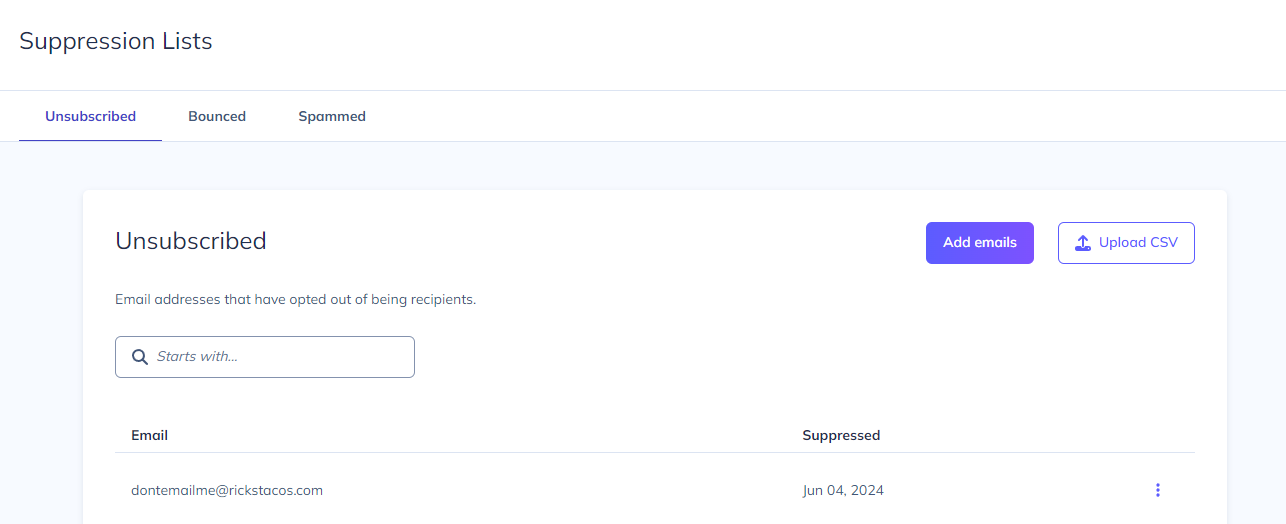
                    Go to Settings > Emails > Suppression lists to manage all three lists.
                    Suppression list types

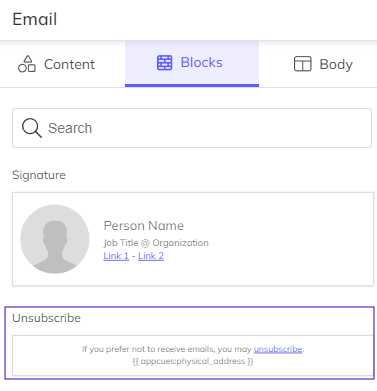
                    Unsubscribed — Addresses added here manually, via CSV upload, or automatically when a user clicks the unsubscribe link in any Appcues email.
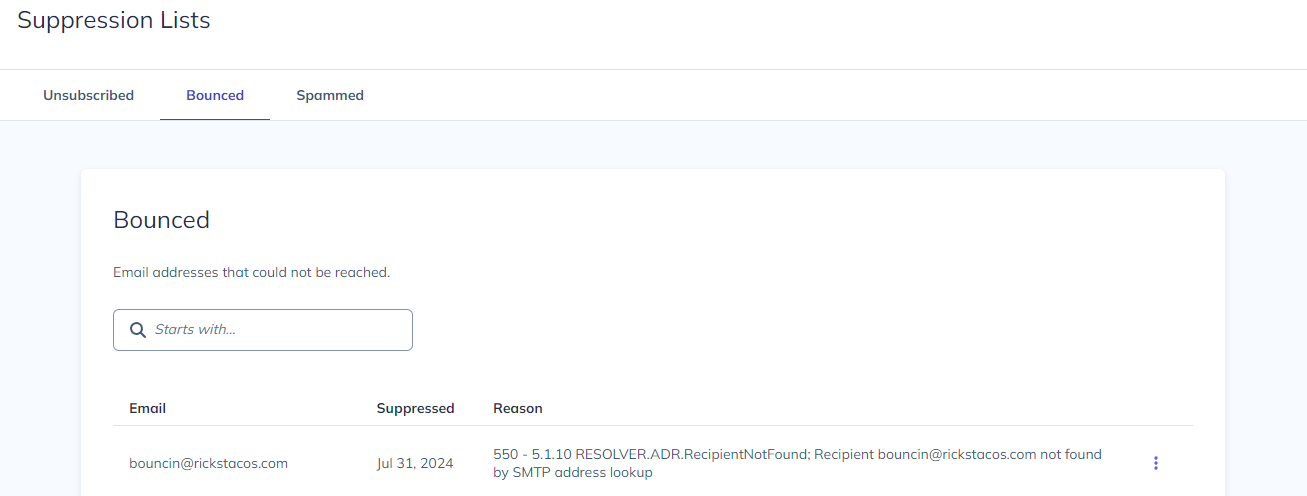
                    Bounced — Addresses added automatically when an Appcues email can't be delivered (invalid address, full inbox, or server rejection).

                    Spammed — Addresses added automatically when a recipient reports an Appcues email as spam.

                    If a user's email appears on any of these lists, no Appcues email will be sent to that address.
                    Add addresses to the Unsubscribed list

                    Individually — Click Add, then enter one or more email addresses separated by commas.

                    In bulk — Click Upload CSV and upload a single-column CSV file containing the email addresses.

                    Bounced and Spammed lists are populated automatically and can't be added to manually.

                    Remove an address from a suppression list

                    Navigate to the suppression list that contains the address.

                    1. Click the vertical ellipsis (⋮) next to the email address.
                    2. Select Remove.

                    This works on all three list types. Use it when an address was added in error or when a user asks to be re-subscribed.


                    email suppression unsubscribe emails email

                    Was this article helpful?

                    Yes
                    No
                    Give feedback about this article

                    Related Articles

                    • Build Email Messages
                    • Configure email settings
                    • Create a Workflow
                    Appcues logo

                    Product

                    Why Appcues How it works Integrations Security Pricing What's new

                    Use cases

                    Appcues Integration Hub User Onboarding Software Feature Adoption Software NPS & Surveys Announcements Insights Mobile Adoption

                    Company

                    About
                    Careers

                    Support

                    Developer Docs Contact

                    Resources

                    The Appcues Blog Product Adoption Academy GoodUX Case studies Webinar Series Made with Appcues

                    Follow us

                    Facebook icon Twitter icon grey Linkedin icon Instagram icon
                    © 2022 Appcues. All rights reserved.
                    Security Terms of Service Privacy Policy

                    Knowledge Base Software powered by Helpjuice

                    Expand